O in short: Backup a device driver backup utility offers a professional solution for device drivers' backup and restoration in Windows operating system.great
|
 Categories Categories |
|
|
|
|
|
Free Driver Backup 10.3.1 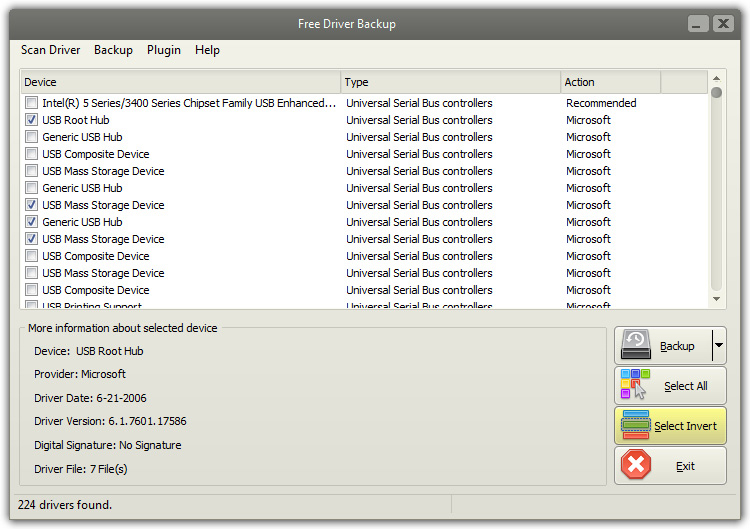
Click to enlargeDescription:Free Driver Backup, a device driver backup utility, offers a professional solution for device drivers' backup and restoration in Windows operating system. It identifies all the hardware in the system, extracts their associated drivers from the hard disk and backs them up to a secure location. Then, you can use it to prevent any problems if your Windows crashes. In fact, this free diver backup can create the backup of all the major system drivers like mouse drivers, keyboard drivers, audio drivers, video drivers, network drivers which are usually installed by using a CD, Floppy or external media. Furthermore, you are allowed to backup cookies, IE favorites and registry as well as view comprehensive hardware information about the installed drivers. Backing up your driver is extremely useful and plays a vital role during any data disaster situation. Fortunately, Free Driver Backup helps create backup of all the drivers of your system and restore them for safekeeping in case of computer crashes or other disasters. Free Driver Backup enables backing up all the currently installed device drivers without the need for re-downloading drivers or using CD-ROMs. This makes reinstalling Windows hassle-free - you no longer have to waste time looking for old driver installation CDs or searching on the internet for the drivers compatible with your hardware. Free Driver Backup ensures all of your multimedia enjoyment as it has the ability to create backup of all the major drivers of Windows system like audio drivers, video drivers, network drivers, mouse drivers, keyboard drivers, etc. By backing up them, you can avoid of serious system problems like video sparkling, sound problems, graphics problems, etc.
 |
(to see additional options, click Buy Now) Type: Freeware File size: 3777 Kb Date: 01/20/2017 HomepageInstall support: Install and Uninstall OS: Win2000, Win7 x32, Win7 x64, WinOther, WinServer, WinVista, WinVista x64, WinXP, Windows 8 System requirements: CPU: Intel Pentium 4 (2GHz) or AMD AthlonTM XP 2800+ (2.2GHz); RAM: 512MB Language: English Recent changes in this Major Update:New version may include unspecified updates, enhancements or bug fixes. | See also in:
| Audio and Music: Audio and Music:Converters | |  | Alt WAV MP3 WMA OGG Converter - the tool to convert audio files between most popular formats. At present moment supported: WAV, MP3, WMA, OGG, CDA, AAC, FLAC, M4A, MP2, RA3, AMR_NB, AMR_WB, AC3, AIFF and MMF (more than 200 converters in one program). |
|
|
|





