O in short: DBReplacer is a highly configurable tool for search and replace actions against databases. Search and replace can be done on all tables at once and on single tables only an offers extended sbest
|
 Categories Categories |
|
|
|
|
|
QuickDBReplacer 1.01.00 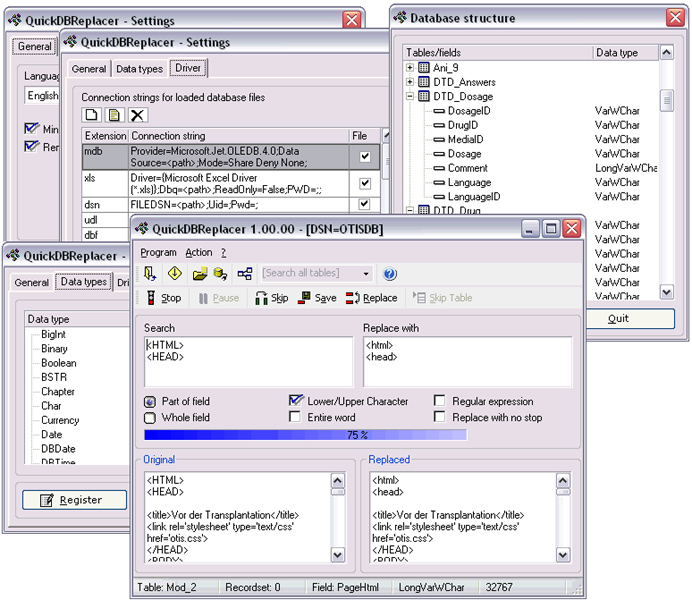
Click to enlargeDescription:QuickDBReplacer is a highly configurable tool for search and replace actions against databases. The search and replace can be done on all tables at once and on single tables only an offers extended search functions such as regular expressions. QuickDBReplacer works with ODBC connections and local database files.QuickDBReplacer was developed because in almost all of the existing databases the function to search and replace trough all tables is missing. Normally the search and replace function can be applied on one table. This can result in a lot of work when using the search and replace functions on big databases. QuickDBReplacer can search and replace in all tables at once and offers a extended search with regular expressions. The program can be used for MS Access or Excel databases without having MS Access or Excel or other databases installed on the system. It can access ODBC databases as well and therefore it saves time and money. The only limits are the installed database drivers on the system. Multilingual.
 | Price $ 22 / 16

Purchase QuickDBReplacer
Get it Now(to see additional options, click Buy Now) Type: Shareware File size: 3463 Kb Date: 10/02/2013 HomepageInstall support: Install and Uninstall OS: WinXP, WinVista, WinVista x64, Win7 x32, Win7 x64, Win2000, Windows2000, Windows2003, WinServer, Windows 8, Windows Server 2012 System requirements: MDAC 2.5 or higher Language: English, German Recent changes in this Major Update:Bugfixes | See also in:
| Business and Finance: Business and Finance:Database and Analytics | |  | The blueshell Data Guy is an ADO-based editor for virtually all types of databases. This program supports Jet (Access, dBase, Paradox etc.), Oracle, SQL Server, MySQL, Sybase, other OLEDB and ODBC providers, Cut and Paste, Drag and Drop, Explorer.. |
|
|
|





