O in short: ext watermark to photo in batch mode; Add image watermark to photo in batch mode; Over 150 free watermarks; Support adding watermark to animated GIF image; Photo frame resize cropping are best
|
 Categories Categories |
|
|
|
|
|
Aoao Watermark Software 7.2 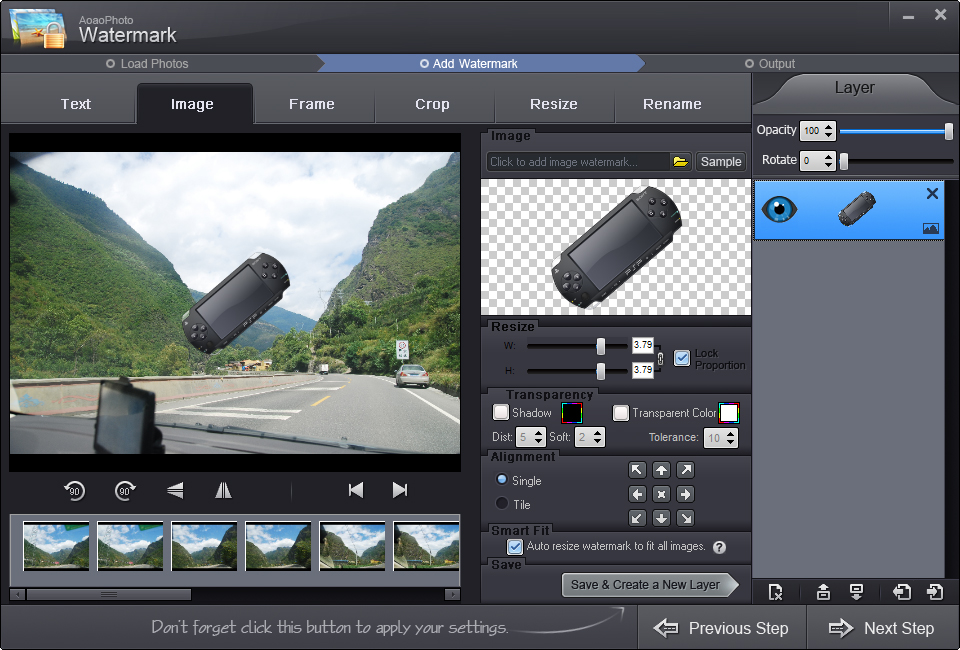
Click to enlargeDescription:Aoao Watermark is a professional watermark creation software. It helps you add image and text to any of your pictures, protect your pictures' copyright and make your images more special. It is not only a watermarking tool, but also an useful and simple photos processor. It can crop and resize image size that you need,batch rename, adjust image quality, and support many kinds of picture formats. Aoao Watermark supports batch watermarking photos, as well. For example, Aoao Watermark only takes 10 seconds to add your sign to three hundred of pictures in 800x600Pixels. In this brand new version, it also allows user to edit the EXIF info of photos to better protect them. What's more, you can apply it as an image viewer to view your photos. Aoao Watermark Software is really an all-in-one image tool to help you copyright and brand your photos.
 | Price $ 29.90 / 29.90

Purchase Aoao Watermark Software
Get it Now(to see additional options, click Buy Now) Type: Shareware File size: 8460 Kb Date: 01/19/2014 HomepageInstall support: Install and Uninstall OS: WinXP, WinVista, WinVista x64, Win7 x32, Win7 x64, Win2000, Windows2000, Windows2003, Windows 8 System requirements: CPU:1G or higher, RAM: 512MB or higher, Disk: 1GB or higher Language: English Recent changes in this Major Update:Change the limitation for its trial version. Trial version will only put a "demo" watermark at the top right corner of output files instead of big demo watermark on the middle. Fixed some minor bugs. | |
|





