O in short: hotos with a batch picture resizer quickly and easily. Batch Picture Resizer works with any batches of image files resizing them while preserving as much quality as possible. This is ideal for makingreliable
|
 Categories Categories |
|
|
|
|
|
Batch Picture Resizer 4.0.4 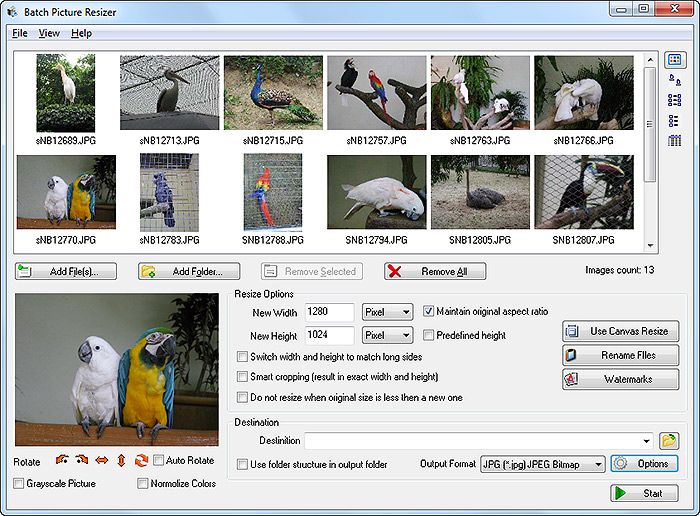
Click to enlargeDescription:A batch picture resizer is something that anyone who works with digital images will find very useful. Many of us use complex and expensive picture editing packages just to resize images and carry out other simple issues because it has not occurred that there is a far quicker, cheaper and more efficient option. Also, resizing images manually, one by one, can be vastly time consuming, especially when you have hundreds, let alone thousands of images that need converting. One solution is a powerful little user-friendly software called Batch Picture Resizer. With this simple and cheap program, you can resize any amount of pictures quickly. The picture resizer can be used to make your pictures smaller so that they are more suitable for publishing on the Internet, sending to friends and family or simply to save space on your hard drive. The highest quality possible is also preserved in the files. Batch Picture Resizer also provides the possibility to convert the color levels of your pictures or add text and watermarks to group of pictures quickly. Get started now by visiting softorbits batch_picture_resize/.
 | Price $ 29.95 /

Purchase Batch Picture Resizer
Get it Now(to see additional options, click Buy Now) Type: Shareware File size: 2458 Kb Date: 01/26/2013 HomepageInstall support: Install and Uninstall OS: WinXP, WinVista, WinVista x64, Win7 x32, Win7 x64, Windows2000, Windows2003 System requirements: 128 MB RAM, 5 MB of free space Language: English, Arabic, Catalan, French, German, Hungarian, Italian, Portuguese, Romanian, Russian, Slovenian, Spanish, Turkish Recent changes in this Major Update:Batch Picture Resizer now has Explorer context menu integration. | |
|





