O in short: to Editor is a simple and effective app for smooth photo editing - no special skills required! Remove unwanted objects and backgrounds erase image flaws improve quality - all with just onereliable
|
 Categories Categories |
|
|
|
|
|
Movavi Photo Editor 2.1 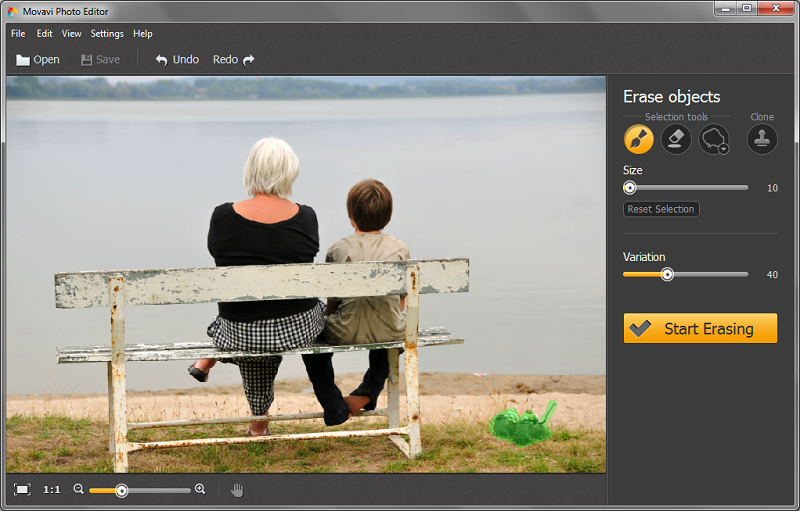
Click to enlargeDescription:Movavi Photo Editor is a simple and effective photo editing app for smooth object removal and image processing - no special skills required! The intuitive interface makes perfecting your pictures easy, fast, and fun! Delete random bystanders, ugly fences, shadows, or any other element that's spoiling your photo in a single click. Or try using the object removal feature to add a creative flair, like: making your subjects fly through the air by removing the ladder or stool they are actually standing on. Use the proprietary Magic Enhance filter to fix color balance, contrast and brightness issues in just a few seconds. Flip, rotate, and crop your pictures for better framing, even resize them if they're too big to share online. Create a holiday card by adding a caption to your picture. Replace a background with a different one of your choice! Level horizons. Click 'Compare' to see how the original differs from your edited photo. * Remove unwanted elements from your photos with a single click * Magic Enhance automatically improves image quality and corrects color balance * Essential picture editing options: rotate and flip images vertically or horizontally * Easily select objects for removal: Magic Wand, Brush, Lasso or Magnetic lasso * Compare your result with the original photo * All popular image formats supported, including JPEG, GIF, TIFF, PNG, and more!
 | Price $ 19.95 / 690

Purchase Movavi Photo Editor
Get it Now(to see additional options, click Buy Now) Type: Shareware File size: 38520 Kb Date: 03/30/2015 HomepageInstall support: Install and Uninstall OS: WinXP, Win7 x32, Win7 x64, Windows 8, WinVista System requirements: Windows XP/Vista/7/8; 1 GHz Inter/AMD processor;display 800x600, 32-bit; 1 GB RAM; 1GB free space Language: English, Dutch, French, German, Italian, Japanese, Portuguese, Russian, Spanish, Turkish Recent changes in this Major Update:-New interface languages -Remove and replace image backgrounds -Add captions -Level horizon -Compare the edited picture with the original -Greater accessibility -Improved crop function -Improved background removal -Other minor improvements and bugfixes. | |
|





