O in short: Tools Editor is a fully-functional free e-learning tool used in 148 countries. Programming scripting and HTML skills are not required. Editor allows you to create exciting interactive e-affordable
|
 Categories Categories |
|
|
|
|
|
Question Tools Editor 4.3 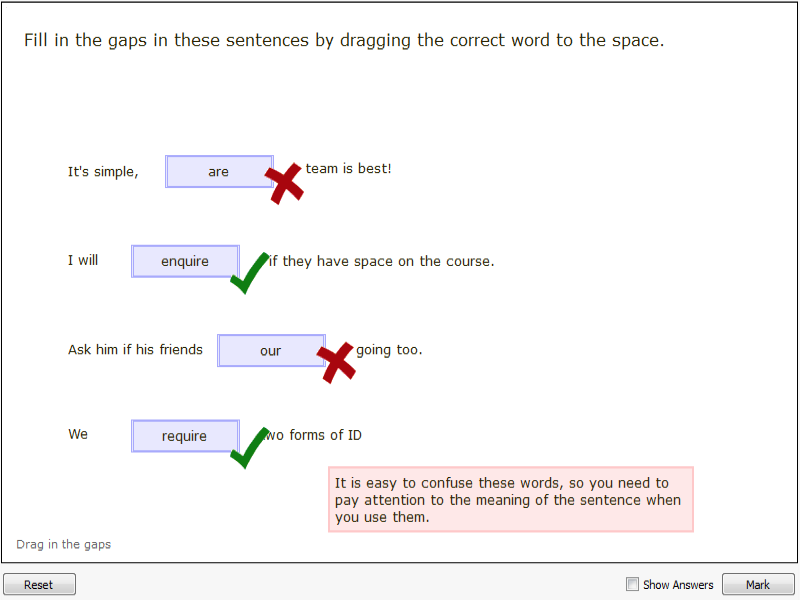
Click to enlargeDescription:Question Tools Editor is a fully-functional, free, e-learning tool used in 148 countries. Programming, scripting and HTML skills are not required. Editor allows you to create exciting, interactive e-learning lessons, exercises and tests for delivery using any modern web browser - no web browser plug-ins required. If you can use Microsoft Word you can use Question Tools Editor. Question Types: Select (multiple choice), true/false, hotspot, menus, text answer, long-answer, and drag. Ready-to-use templates, effective styles feature. Create interactive lessons, exercises and tests. Open and test multiple screens within the editor. Handles pictures, sounds and video in a variety of formats including MP3 and MPEG. Multiple feedbacks can be included in screens. Wide variety of test and lesson options. Multiple undo facility, comprehensive help. Pasteboard for quickly dragging text into place.
 |
(to see additional options, click Buy Now) Type: Freeware File size: 27642 Kb Date: 09/28/2018 HomepageInstall support: Install and Uninstall OS: Win2000, WinXP, Win7 x32, Win7 x64, Windows 8, Windows 10, WinServer, WinOther, WinVista, WinVista x64 System requirements: A 64-bit version of Linux, Windows or Mac Language: English Recent changes in this Major Update:Whole new version. Runs on Windows, Mac OS X and Linux | |
|





