O in short: ader and web picture finder in one product. Easily download all images from any website or search the web for pictures using keywords. Plus built-in image viewer and a database with thousandwell known
|
 Categories Categories |
|
|
|
|
|
Extreme Picture Finder 3.39 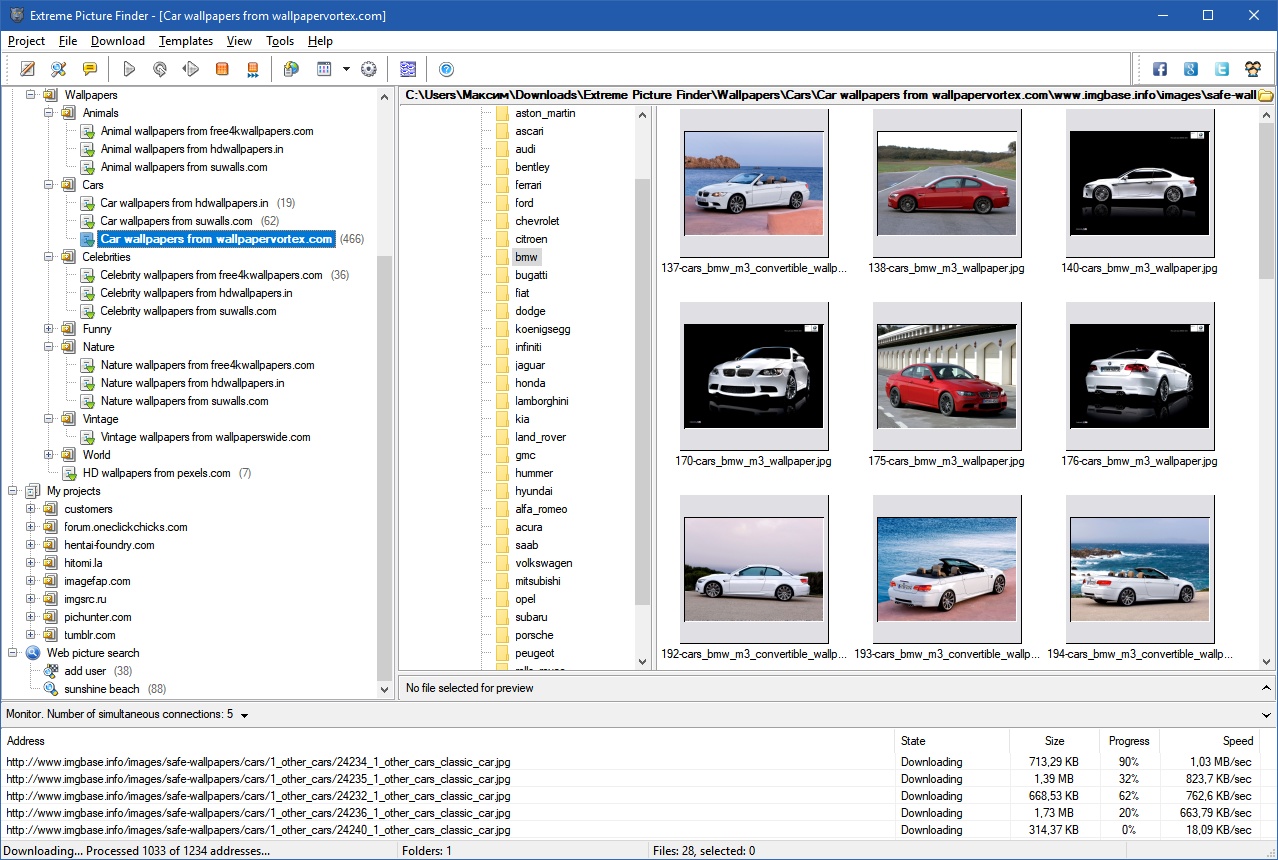
Click to enlargeDescription:Image downloader and web picture finder in one product. Automatically download all images from any website. Simply enter the website address, choose what files to download (images, music, videos or any other files) and the folder on your hard drive where to save them and let the program do the rest of the work for you! No more banners, annoying pop-ups or saving each file by hand! Extreme Picture Finder will easily handle password-protected websites, forums or TGPs. Plus, it allows you to set file and image size limits, use URL filters to skip unwanted parts of the website, choose the way the saved files are named and use many other options to get exactly what you want as fast as possible. If you don't know where to start - the program offers a built-in database with thousands of website addresses sorted by category and the built-in picture finder, which allows you to search the web for pictures using keywords. Extreme Picture Finder offers several different search modes: only thumbnails, only full-size images, both thumbnails and full-size images. Plus it can download all "related" images - images located on the same page where the original full-size image was found.
 | Price $ 29.95 /

Purchase Extreme Picture Finder
Get it Now(to see additional options, click Buy Now) Type: Shareware File size: 4142 Kb Date: 09/14/2017 HomepageInstall support: Install and Uninstall OS: Win2000, WinXP, Win7 x32, Win7 x64, Windows 8, Windows 10, WinServer, WinOther, WinVista, WinVista x64 System requirements: No special requirements Language: English, Bulgarian, Dutch, Estonian, German, Indonesian, Italian, Japanese, Korean, Norwegian, Portuguese, Russian, Slovenian, Turkish Recent changes in this Major Update:+ New option in the [Conflicts] section of project and search settings which allows to rename files using Windows-style - adding space and a number in brackets + Image source pages are not downloaded anymore if search mode does not include [Related images] - searches are completed way faster now | |
|





