O in short: s application software allows you to scan save and print photos and documents in various formats. You can also edit images in Image Editor convert images to text using OCR (Optical Charactwonderful
|
 Categories Categories |
|
|
|
|
|
Scan Navigator 1.2.1 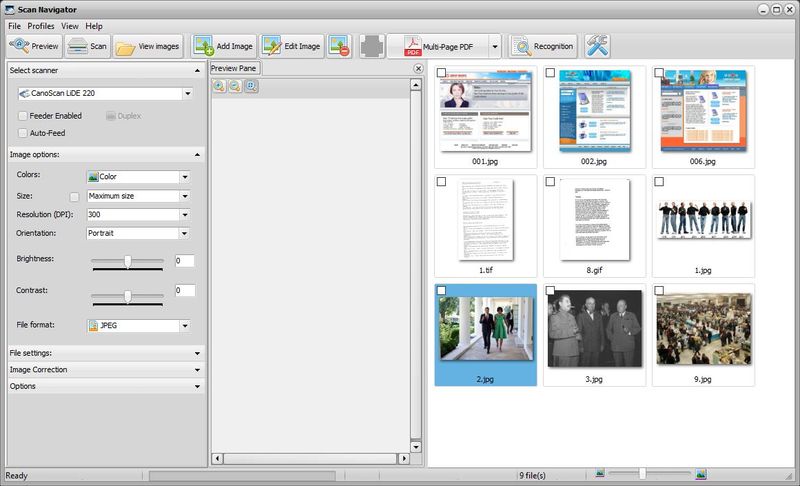
Click to enlargeDescription:This application software allows you to scan, save and print photos and documents. Save your scanned documents as PDF, BMP, JPG, TIFF and PNG files. Create multi-page PDF documents and files in TIFF format. You can also edit images in Image Editor: crop, rotate, sharpen, remove red eyes, apply various image effects. Convert images to text using OCR (Optical Character Recognition). Print documents and images - print images directly from main program window or from Image Editor. Works with almost any TWAIN scanner. Very simple and intuitive user interface, no engineering skills are required.
 | Price $ 19.90 /

Purchase Scan Navigator
Get it Now(to see additional options, click Buy Now) Type: Shareware File size: 41238 Kb Date: 06/20/2017 HomepageInstall support: Install and Uninstall OS: Win2000, WinXP, Win7 x32, Win7 x64, Windows 8, Windows 10, WinServer, WinOther, WinVista, WinVista x64 System requirements: Celeron 800 MHz (Recommended: Pentium 4 1.3 GHz or greater) , 512 MB RAM (Recommended: 1 GB RAM or Language: English, Finnish, French, German, Italian, Russian, Spanish, Swedish Recent changes in this Major Update:Added preview feature. | |
|





