O in short: ve@ Partition Manager helps you manage storage devices and the logical drives or partitions that they contain. You may create delete format and name partitions on your computer without shuwell known
|
 Categories Categories |
|
|
|
|
|
Active Partition Manager 23.0.0.2 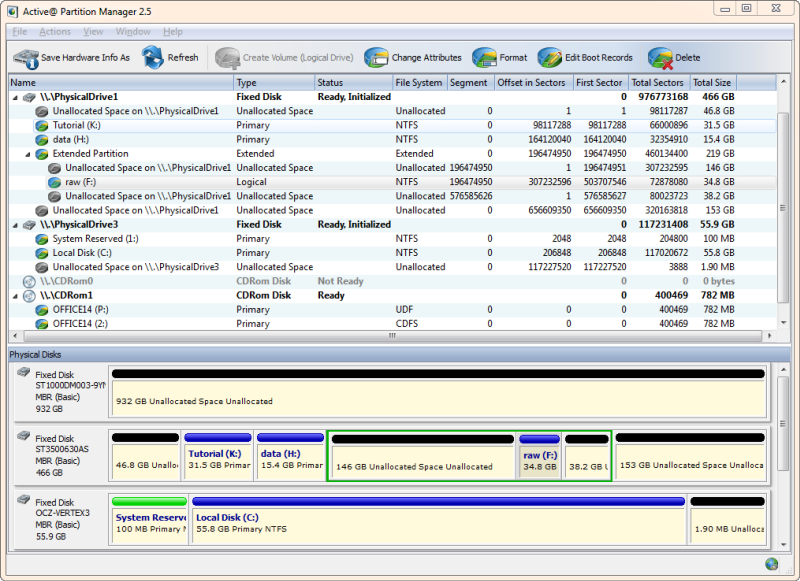
Click to enlargeDescription:Active@ Partition Manager is a freeware application that helps you to manage storage devices and the logical drives or partitions that they contain. You may create, delete, format and name partitions on your computer without shutting down the system. Most configuration changes take effect immediately. Recognize volumes (partitions) with file systems: FAT, NTFS, NTFS + EFS, MacOS HFS+, Linux Ext2/Ext3/Ext4, Unix UFS, BtrFS.
Create a partition or logical drive (volume);Format a logical drive or partition (FAT, exFAT, NTFS); Resize logical drive (volume); Edit and synchronize boot sectors of FAT, exFAT, NTFS, UFS, HFS+, Ext2/Ext3/Ext4 and Partition Table; Initialize new disk as MBR or GPT or fix MBR (GPT) on damaged disk; Convert MBR to GPT or GPT to MBR and more.
 |
(to see additional options, click Buy Now) Type: Freeware File size: 20150 Kb Date: 02/02/2023 HomepageInstall support: Install and Uninstall OS: Win2000, WinXP, Win7 x32, Win7 x64, Windows 8, Windows 10, WinServer, WinOther, WinVista, WinVista x64 System requirements: IBM PC/AT compatible CPU, Intel Pentium processor or higher, USB storage device Language: English Recent changes in this Major Update:Improved editing NTFS volumes having large cluster size
Qt framework upgraded to version 5.12.5
Minor bug fixed and improvements | |
|





