O in short: t allows you running DOS programs on modern Windows computers (64 bit too) and printing to Windows printers (including USB GDI and PDF) by installing specialist third party programs specifieasy
|
 Categories Categories |
|
|
|
|
|
DosPrint 1.1 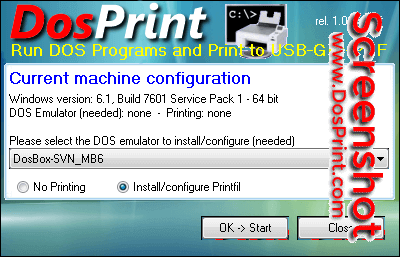
Click to enlargeDescription:DosPrint allows you running DOS programs on modern Windows computers (64 bit too) and printing to Windows printers (including USB, GDI and PDF) by installing specialist third party programs specifically designed to solve these common DOS problems. It checks if you've a 32/64 bit Windows version (in the last case a DOS emulator is needed to run a DOS program, otherwise Windows itself is enough), and selects the best additions for you to install. At that point you just have to accept them or change them with your preferred choices and click OK -> Start, then DosPrint will automatically download, install and configure the programs you selected to run your DOS applications and/or print to the already installed Windows printers without having to manually download, install, and learn how to configure them (that usually would mean manually editing huge text files). Yes, with a couple of clicks you can have DosPrint making all the job for you, and in a few minutes you'll be ready to run your DOS programs and have them automatically printing to any printer that's installed in the Windows Control Panel.
 |
(to see additional options, click Buy Now) Type: Freeware File size: 681 Kb Date: 05/03/2018 HomepageInstall support: Install and Uninstall OS: WinXP, WinVista, WinVista x64, Win7 x32, Win7 x64, Win2000, WinOther, Windows2000, Windows2003, WinServer, Windows Vista Ultimate, Windows Vista Ultimate x64, Win98, WinME, WinNT 3.x, WinNT 4.x, Win95, Windows Tablet PC Edition 2005, Windows Media Center Edition 2005, Windows Vista Starter, Windows Vista Home Basic, Windows Vista Home Premium, Windows Vista Business, Windows Vista Enterprise, Windows Vista Home Basic x64, Windows Vista Home Premium x64, Windows Vista Business x64, Windows Vista Enterprise x64, Windows 10, Windows 8, Windows Server 2012 System requirements: no special requirements Language: English Recent changes in this New Release:1. Added the vDosPlus emulator ; 2. Improved download of the selected DosBox variant and/or Printfil ; 3. Mount all the available Windows drives to be used in the DOS programs ; 4. More news at https:// DosPrint enews.htm ; | |
|





