O in short: TweakRAM is designed to clean your PC memory. It can Optimize RAM to make your computer run faster and crash less often. and Increase your system performance by cleaning the content of your RAM.
|
 Categories Categories |
|
|
|
|
|
TweakRAM 7.1.5.31 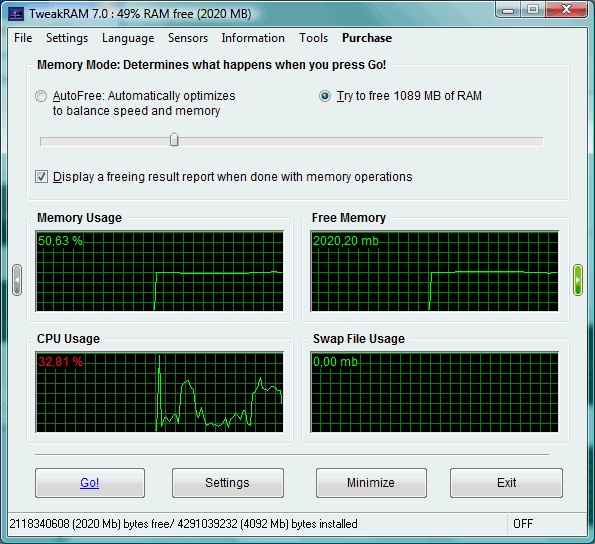
Click to enlargeDescription:Increase your RAM/Memory and speed up your computer (for Windows 9x, Me, NT, 2K, XP, 2003, and Longhorn) TweakRAM is designed to clean your PC memory. It can Optimize RAM to make your computer run faster and crash less often. and Increase your system performance by cleaning the content of your RAM. and lets you know the CPU information, memory usage, processes, and applications running on your computer. „This tool optimizes your RAM in adjustable, systematic periods and removes from RAM already closed programs which still occupy memory, thus making more free memory available to your system. While working with Windows XP (i have 512MB of RAM) i used to have only 100MB of free RAM before launch of this program and over 300MB after it. Yet again when some people may cry and write that it does nothing, I'm using it one or two times per day!"- wrote WinFuture.de about TweakRAM. TweakRAM's main feature is memory defragmentation (it solves the problem of scattered program's code, so that your CPU doesn't have to waste time on code lookup). Many programs, including Windows, accumulate huge amount of libraries, but not all of them are necessary. TweakRAM finds such blocks and unloads them to swap. When some of this data becomes necessary it is loaded back to RAM again. Sometimes it happens that when program exits not the whole memory it allocated is released. Thus the program is not running any more, but some memory can't be used by other programs. TweakRAM finds such memory leaks and flushes them to swap file, thus increasing size of free RAM.
 | Price $ 19.95 /

Purchase TweakRAM
Get it Now(to see additional options, click Buy Now) Type: Shareware File size: 2535 Kb Date: 06/09/2010 HomepageInstall support: Install and Uninstall OS: WinXP, WinVista, WinVista x64, Win7 x32, Win7 x64, Win2000, Windows2000, Windows2003, WinServer, Windows Vista Ultimate, Windows Vista Ultimate x64, Win98, WinME, WinNT 3.x, WinNT 4.x, Win95, Windows Tablet PC Edition 2005, Windows Media Center Edition 2005, Windows Vista Starter, Windows Vista Home Basic, Windows Vista Home Premium, Windows Vista Business, Windows Vista Enterprise, Windows Vista Home Basic x64, Windows Vista Home Premium x64, Windows Vista Business x64, Windows Vista Enterprise x64 System requirements: 4Mb HDD, 8Mb RAM Language: English, Arabic, Bulgarian, Chinese, ChineseSimplified, ChineseTraditional, Czech, Danish, Dutch, French, German, Hungarian, Italian, Korean, Polish, Portuguese, Russian, Spanish, Swedish, Ukrainian Recent changes in this Major Update:Improved performance under your Windows 7, Vista, XP (64-bit) ! | |
|





