O in short: PE Builder a WinPE-based bootable media creator integrates Desktop Windows Explorer Start Menu & Task bar all together and combines AOMEI Partition Assistant and AOMEI Backupper for reliable
|
 Categories Categories |
|
|
|
|
|
AOMEI PE Builder 2.0 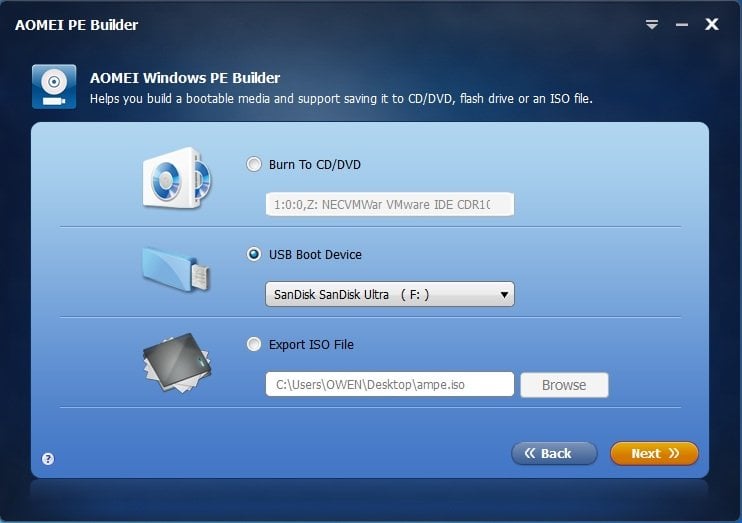
Click to enlargeDescription:AOMEI PE Builder, a more convenient and complete WinPE-based bootable media creator for Windows 10, Windows 8.1/8, Windows 7, Vista, XP, Windows Server 2003, Windows Server 2008 (R2), Windows Server 2012 (R2) and Windows Server 2016. It integrates Desktop, Windows Explorer, Start Menu and Task bar all together. It also combines hard disk partition manager - AOMEI Partition Assistant, and easy yet complete backup software - AOMEI Backupper free for private and business use, helping you to get a familiar Win32 interface without installing Windows AIK (Automated Installation Kit). Like BartPE, AOMEI PE Builder allows you to FREE create a bootable environment based on Windows PE without installing AIK/WAIK, which integrates a set of tools that enables you to boot up your computer for easy maintenance and fast recovery tasks when the native system is corrupted or cannot be used. Unlike traditional WinPE environment, it brings you a user-friendly graphical interface and a familiar Win32 environment, including desktop, Windows explorer, start menu, taskbar, etc. The Windows PE bootable media can be a CD/DVD disc, USB flash drive, or ISO image file, so you can choose the most convenient one according to your preference. When creating bootable media based on Windows PE, AOMEI integrates desktop, Windows explorer, start menu, and taskbar into the WinPE environment. This makes it easy and effortless for you to manage files and documents, just like using Windows 7 operating system. Besides Partition Assistant and Backupper, Windows PE Builder can still contain other useful utilities, such as Windows system recovery & repair and Windows built-in Disk Management.
 |
(to see additional options, click Buy Now) Type: Freeware File size: 150367 Kb Date: 09/28/2017 HomepageInstall support: Install and Uninstall OS: Win7 x32, Win7 x64, WinServer System requirements: Windows 10/8.1/8/7/Vista/XP and Server 2003, 2008 (R2), 2012 (R2), 2016 Language: English Recent changes in this Major Update:1. Support to download Windows 10 recovery environment to create Windows PE. 2. Support to cancel the operation during the process of creating Windows PE. 3. Added dual-boot function: a Windows PE supports both EFI and Legacy BIOS boot modes. 4. Fully support Windows 10/Vista/XP. | |
|





