O in short: in any installed true type font and save the result as dxf or G-Code. So you can plot the font to use it for engravings etc. You only enter the text and click on "Save as DXF file...". The treliable
|
 Categories Categories |
|
|
|
|
|
Font 2 DXF and G-Code 3.1 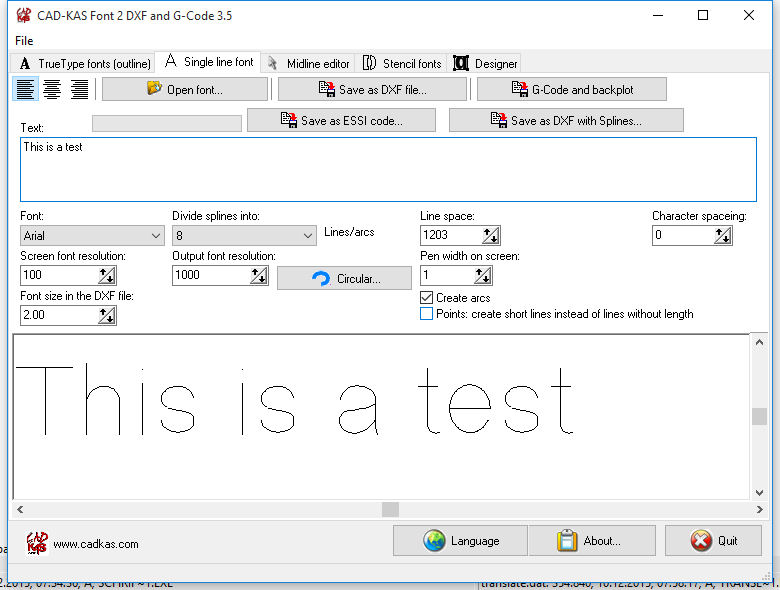
Click to enlargeDescription:Create a text in any installed true type font or a single line font and save the result as dxf file or G-Code file. So you can plot the font to use it for engravings with your NC machine etc. You only enter the text and click on "Save as DXF file...". You can also create stencil fonts. The text will be saved as polygon line information in the DXF file. In version 2.0 a vector font is build in. So now you can not only render the outline of True Type fonts but also single line fonts. Version 3 can output the G-Code for your NC machine directly. And this version can now create arcs not only line segments as output. New: now an Editor for midline fonts is included. So you can design your own single line fonts. You can let the program create a midline font/single line font from any true type font and the edit the midline font in the Editor. You can then create a DXF or G-Code output from your own midline font. The single line font can use bezier curves. If you export them the bezier curves can be converted into arcs for your NC machine.
 | Price $ 99 /

Purchase Font 2 DXF and G-Code
Get it Now(to see additional options, click Buy Now) Type: Demo File size: 1128 Kb Date: 12/03/2010 HomepageInstall support: Install and Uninstall OS: WinXP, Win2000, WinServer, WinVista, WinVista x64, Win98, WinOther System requirements: Pentium PC Language: English Recent changes in this New Release:circular text output | |
|





