O in short: nstalls itself as a webcam on your PC and broadcasts a video. Use it with any application including Yahoo Skype Window Live/MSN Gtalk Camfrog AIM. It even works with web apps like Justieasy
|
 Categories Categories |
|
|
|
|
|
Fake Webcam 7 7.0.6.450 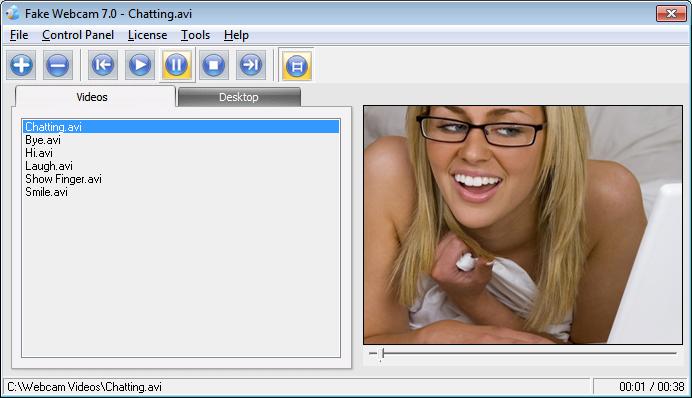
Click to enlargeDescription:Fake webcam 7 installs itself as a webcam on your PC. Unlike an actual webcam which broadcasts what it sees in front of it, fake webcam broadcasts a video. You can simply use it with any application including Yahoo, Skype, Window Live/MSN, Gtalk, Camfrog, AIM. It even works with web apps like Justin.tv, iVideoChat, LiveVideo, UStream.tv etc. It virtually works with all kind of webcam applications just like an actual webcam. You can also broadcast your desktop. You can apply effects like flip, emboss, tv wall, blur, shaking, overlays, images, face detection, frames, gifs and all kinds of fun stuff. You can play all type of videos including AVI, MPEG, MPG, WMV, RM, RAM, MOV, M1V, MP2, MPA, VOB, ASF, DAT, FLV, FLV2, MP4, SWF, BMP, PNG, JPG etc. You can even use it with multiple programs simultaneously.
 | Price $ 9.95 /

Purchase Fake Webcam 7
Get it Now(to see additional options, click Buy Now) Type: Shareware File size: 7623 Kb Date: 08/10/2018 HomepageInstall support: Install and Uninstall OS: Win2000, WinXP, Win7 x32, Win7 x64, Windows 8, Windows 10, WinServer, WinOther, WinVista, WinVista x64 System requirements: No special requirements Language: English Recent changes in this New Release:reduced price | |
|





